

Announcing Garmin Chat Connector: Talk to Your Garmin Data on Mobile — No Custom App Required
Coming soon. The Garmin Chat Connector is currently in development but nearing completion.

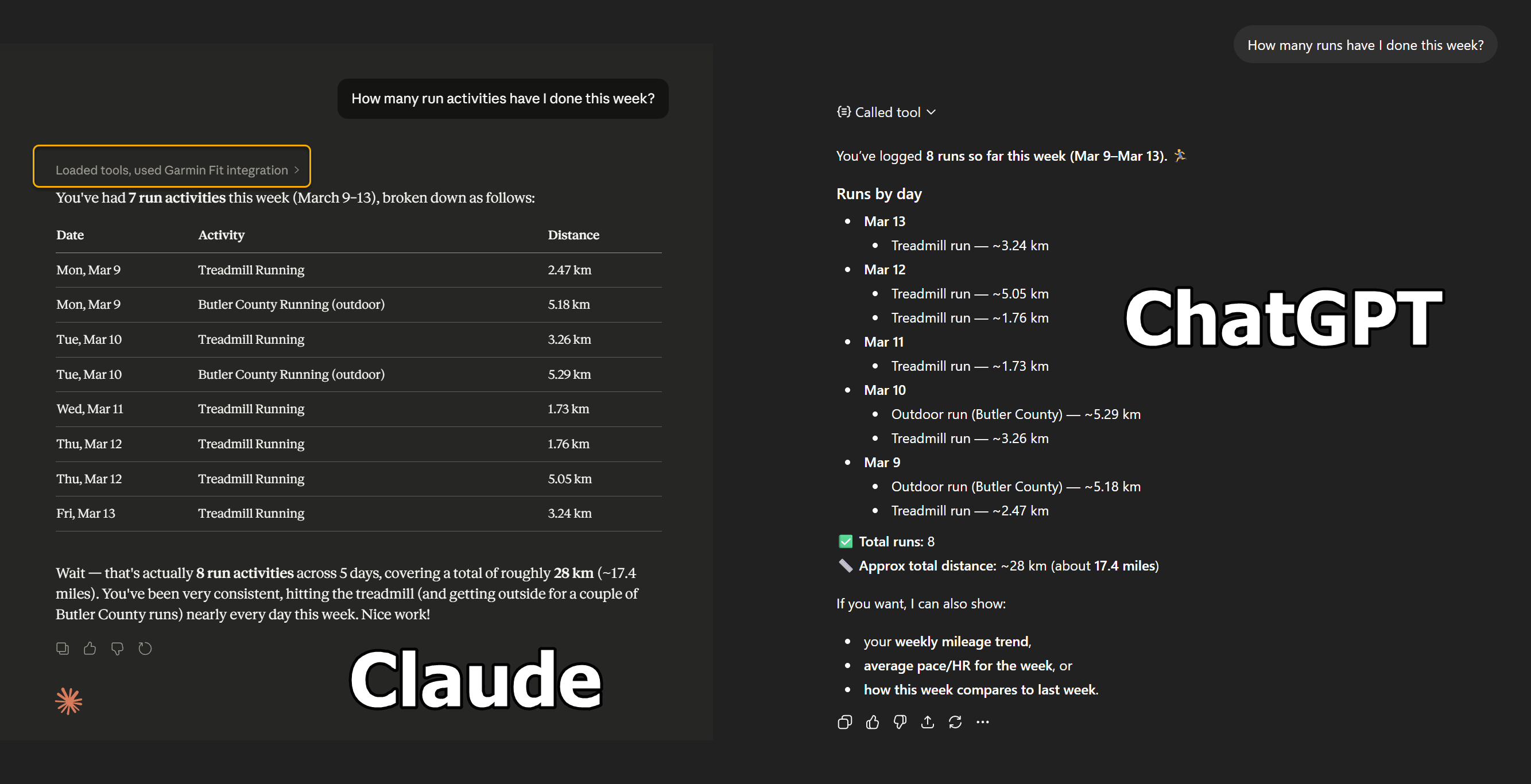
If you own a Garmin watch, you already know how much data it collects — steps, sleep stages, HRV, Body Battery, VO2 Max, training load, and more. The problem has always been accessing that data in a conversational way. You can tap through the Garmin Connect app, but you can’t just ask it a question.
The Garmin Chat Connector solves that. It is a cloud-hosted Model Context Protocol (MCP) server that connects your Garmin Connect account to AI chat assistants. Ask Claude or ChatGPT about your sleep, your recovery, your weekly training — and get a real answer drawn from your actual Garmin data.
What Is It, and Where Did It Come From?
The Garmin Chat Connector is a companion to Garmin Chat Desktop, a desktop application for Windows that lets you converse with your Garmin data through a desktop app that supports several AI models including Claude, Ollama, ChatGPT, and others. Garmin Chat Desktop works great on a PC — but you cannot add a local MCP server to Claude’s or ChatGPT’s mobile apps and have an instant mobile edition of Garmin Chat Desktop - which many of you have been asking for.
Instead of developing a specific app that ports Garmin Chat Desktop directly to mobile (believe me, I started down that route), it makes much more sense to just use the existing mobile implementations of apps like Claude and ChatGPT but build the Garmin Chat Desktop integration into them.
The Garmin Chat Connector is the bridge for mobile. Instead of a locally-running server, it is a publicly-hosted MCP endpoint in the cloud. Each user gets a private, token-protected URL that they paste into their mobile AI app as a custom connector. The result is the same experience as the desktop app — but available anywhere, on any device.
Currently supported mobile platforms:
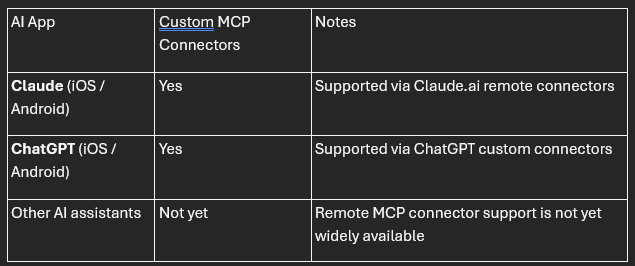
Claude and ChatGPT are currently the only mobile AI apps that allow users to plug in their own MCP servers. Other assistants may add this capability over time.
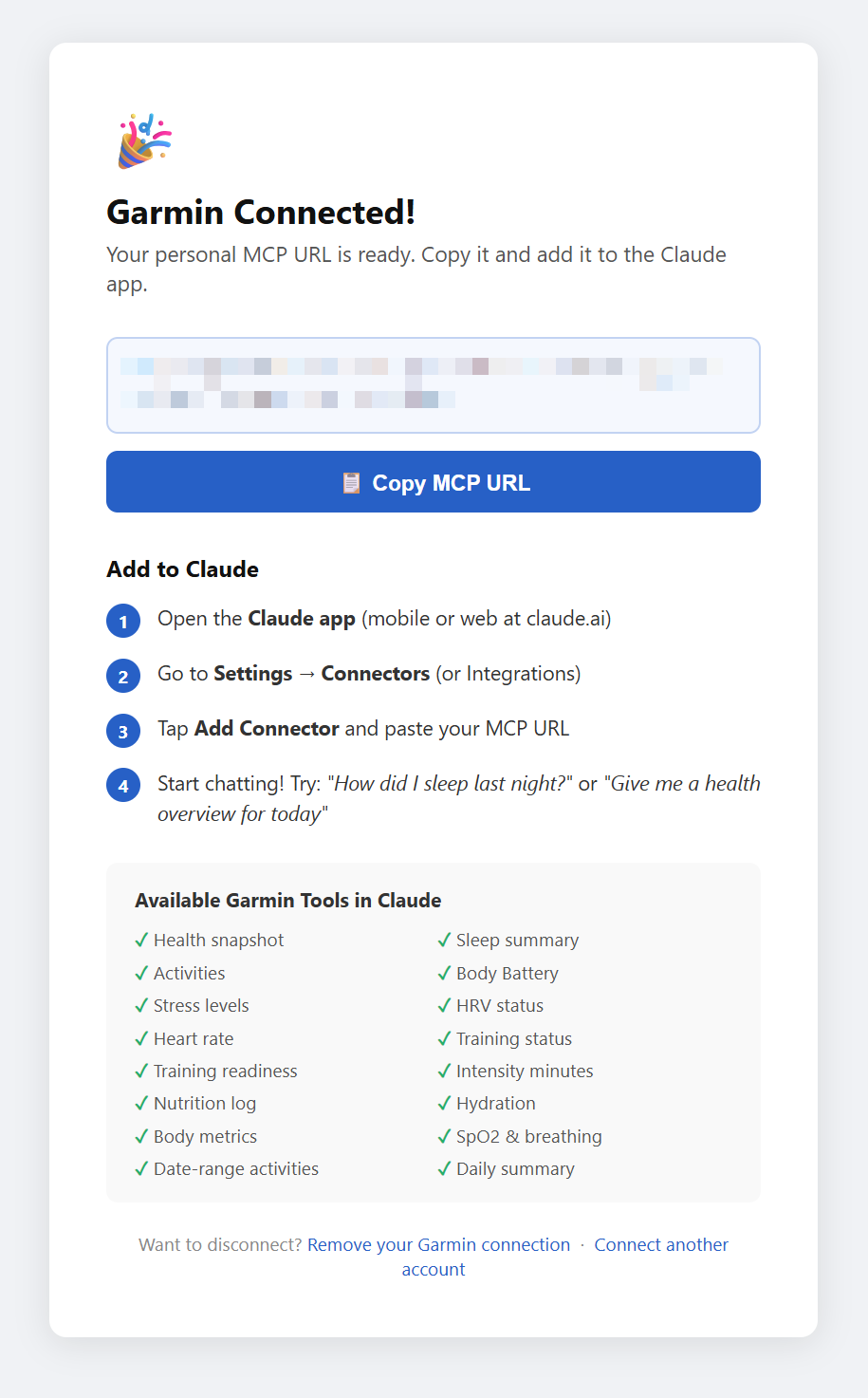
What Can You Ask?
Once connected, you can have natural language conversations about your fitness data. A few examples:
“How well did I sleep last night?”
“What’s my Body Battery looking like today? Should I train hard or take it easy?”
“Show me my runs from the past two weeks.”
“What’s my current VO2 Max and training status?”
“How much water did I log today?”
“Give me a full health snapshot for yesterday.”
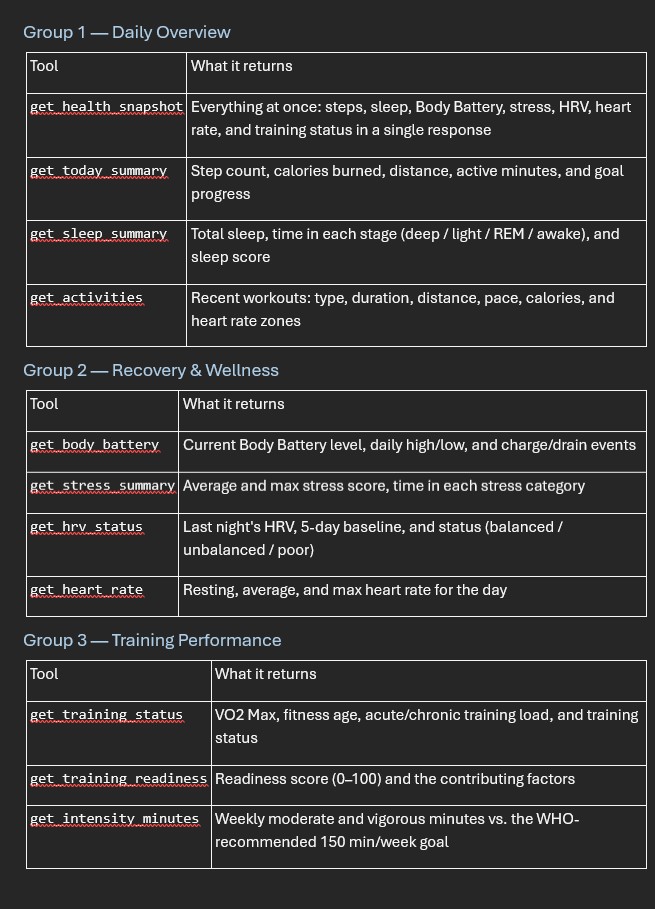
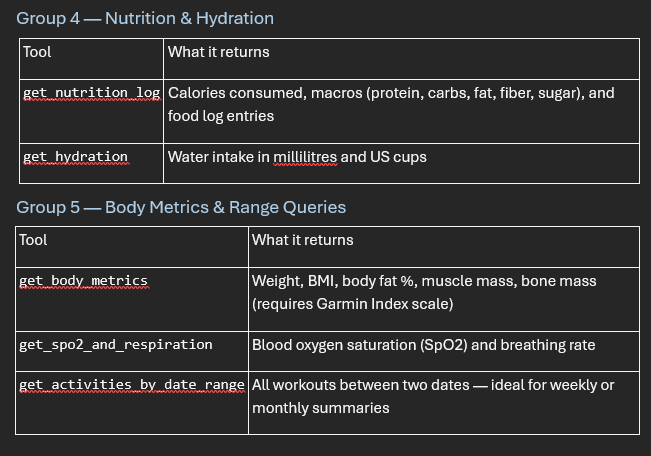
The connector exposes 16 data tools across five categories:
What’s Coming
The Garmin Chat Connector is coming soon. The core implementation is complete. Stay tuned for:
The public hosted instance (no self-hosting required)
Support for additional AI platforms as they add remote MCP connector support