

Runtime Protection for Agents: Detection Is Not Enough
Detection remains essential. It is not sufficient.

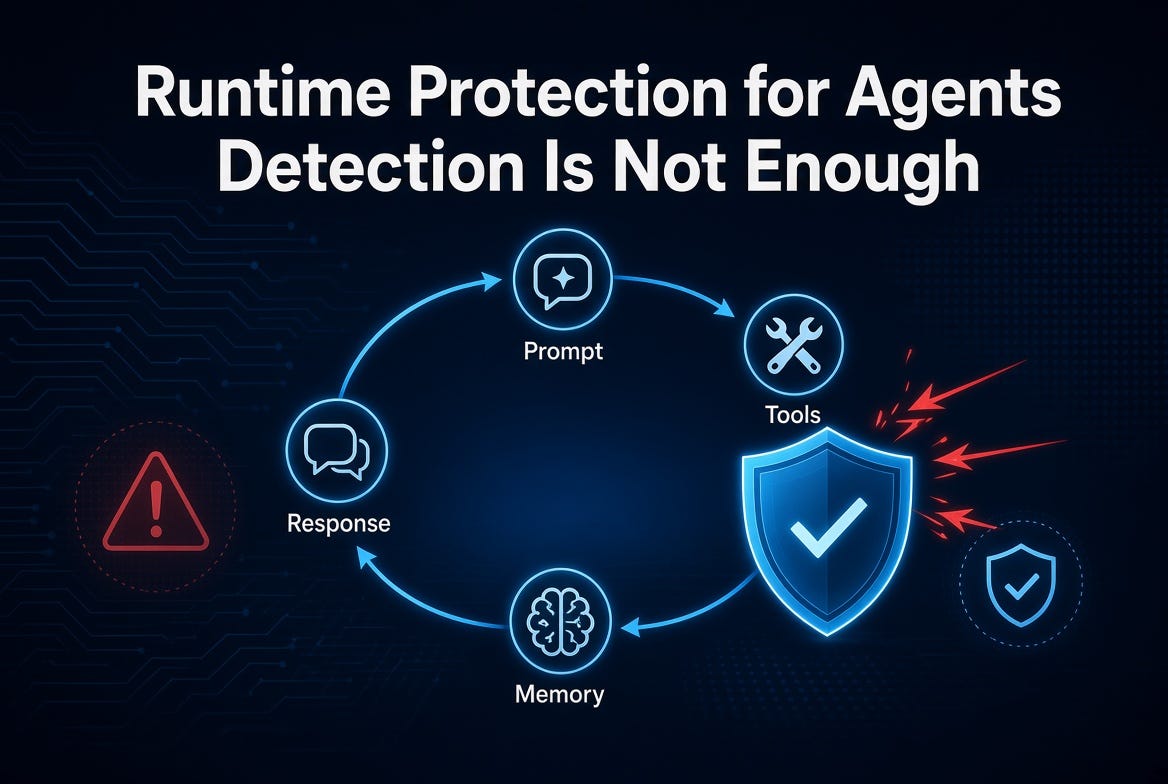
AI agents are no longer experimental side projects. They read mail, call tools, update records, query knowledge bases, and take actions on behalf of users—often across multiple steps and sessions. That autonomy is the point. It is also the problem.
When an agent decides to invoke a tool, the window for intervention is measured in milliseconds. If your only defense is detection after the fact, the damage has already happened. A credential has already been written to an external endpoint. A sensitive file has already been summarized and sent. An unsafe action has already executed.
Detection remains essential. It is not sufficient.
Post-Facto Detection vs. Inline Blocking
Traditional security models for AI focused on the edges: filter the prompt on the way in, scan the final response on the way out, and log everything for later review. That approach works reasonably well for single-turn chatbots. It collapses under agentic workloads.
An agent operates in a continuous loop:
Prompts → reasoning → tool invocations → tool responses → memory updates → next decision
Threats can enter or amplify at every stage. Prompt injection can hide in a document the agent is asked to process. A tool response can contain instructions that re-direct the next action. Memory can be poisoned so that later turns inherit the compromise. Data exfiltration can occur through a legitimate-looking tool call that simply points at the wrong destination.
Post-facto detection sees the evidence after the tool has already run. Inline runtime protection evaluates the intended action before it executes and can stop it.
The difference is not academic. One approach generates an alert. The other prevents the event.
What Needs Blocking in Real Time
Several high-impact scenarios demand this inline capability:
Unsafe or out-of-policy tool invocations. An agent attempts to call a tool with parameters that would access or modify data outside its authorized scope.
Prompt-injection attempts that try to coerce tool use. The model is manipulated into treating attacker-controlled content as system-level instructions that trigger sensitive actions.
Data exfiltration and secret leakage. The agent is steered to include credentials, tokens, or confidential content in a tool call or outbound message.
Malicious content propagation. The agent is used as a vector to spread harmful content through tools it can legitimately invoke.
Communication with untrusted destinations. Email or data is directed toward high-risk domains.
These are not theoretical edge cases. They are the natural consequence of giving models the ability to act.
Microsoft Defender Real-Time Protection for Agent 365 Tooling Servers
Microsoft Defender now delivers real-time protection specifically for Agent 365 tooling servers—both the Work IQ MCP servers that ground agents in Microsoft 365 context and custom MCP servers that organizations onboard to Agent 365.
When an agent invokes a registered tool (or receives a tool response), Defender evaluates the interaction against configured security policies inside the execution flow. Risky actions can be blocked before they complete. Developers do not need to implement their own security checks for every tool; the protection sits at the tooling gateway.
Coverage includes:
Evaluation of tool invocations through Work IQ MCP and customer MCP tools registered with Agent 365.
Protection against high-confidence threats such as evasion of guardrails, secret leakage through tool calls, malicious content propagation, and communication with untrusted domains.
Policy-driven control. A default rule can audit activity across agents so teams gain visibility first. Custom rules can then enforce blocking for specific agents or threat types.
Blocked or audited actions are recorded as behaviors. Security teams can query them in Advanced Hunting, build detections, and drive automation—without waiting for a full incident to materialize.
This is runtime enforcement, not just logging. It closes the gap between “we saw something suspicious” and “we stopped it.”
Observability of the Full Agent Loop
Blocking alone is incomplete without visibility into the loop itself. Security teams need to understand:
What prompts and context entered the agent.
Which tools were considered and ultimately invoked.
What parameters were passed and what the tools returned.
How memory or session state was updated.
Whether the sequence of decisions shows anomalous patterns over time.
Agent 365 and Defender together surface this telemetry. Tool-call traces, parameters, outcomes, and related behaviors become queryable. The agent is no longer an opaque black box that only produces a final answer. It becomes an observable entity that can be monitored alongside users, devices, and applications.
Without that observability, even strong runtime blocks leave teams flying partially blind. They can stop individual bad actions, but they cannot easily reconstruct the attack path, assess blast radius, or harden policies for the next attempt.
Why This Matters Now
Organizations are moving agents from pilots into production workflows that touch real data and real business processes. The threat surface is expanding faster than most security programs are adapting. Relying solely on detection, prompt filtering, or post-execution review leaves a critical window open.
Runtime protection that can evaluate and block tool invocations, injection attempts, exfiltration paths, and unsafe actions—combined with deep observability of the entire agent loop—is the practical response.
Microsoft Defender’s integration with Work IQ MCP and custom MCP tooling servers in Agent 365 is one concrete implementation of that model. It does not eliminate the need for strong identity controls, least-privilege tool design, data governance, or continuous monitoring. It supplies the missing enforcement point at the moment of action.
Detection tells you something went wrong.
Runtime protection keeps it from going wrong in the first place.
For teams building or deploying agents on the Microsoft platform, that distinction is no longer optional. It is the difference between operating with confidence and operating with hope.
Can you provide a link to the configuration instructions that we need to follow to ensure that this functionality is properly implemented